A gift list is a shareable page of things someone wants, that anyone with the link can look at and claim from — no account required to view, claim, or even create one.
Creating a list
The fastest way in is Start a gift list on the homepage — type a title, optionally paste in what you already have, and you're done. No account needed; you'll land straight on the list's admin page with a link to share.
If you're signed in, every list you create also shows up on My People & Lists, and every account automatically gets its own My Wishlist list that can't be deleted — the one list that's always "yours."
The admin view
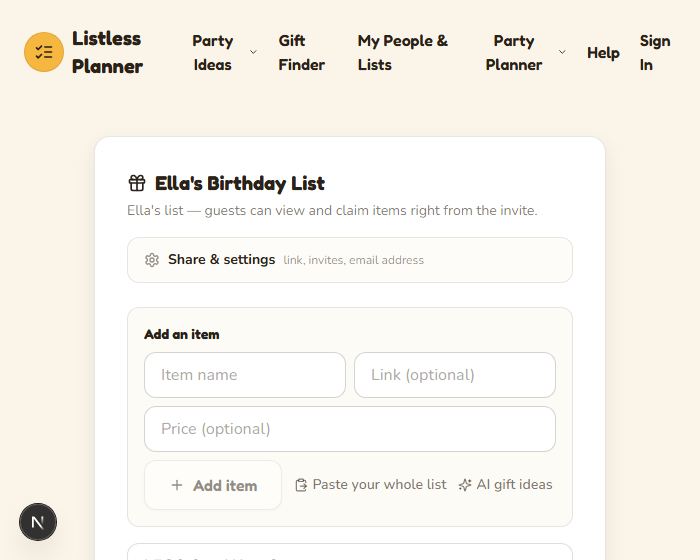
Whoever has the admin link can add, edit, and remove items, and manage sharing:
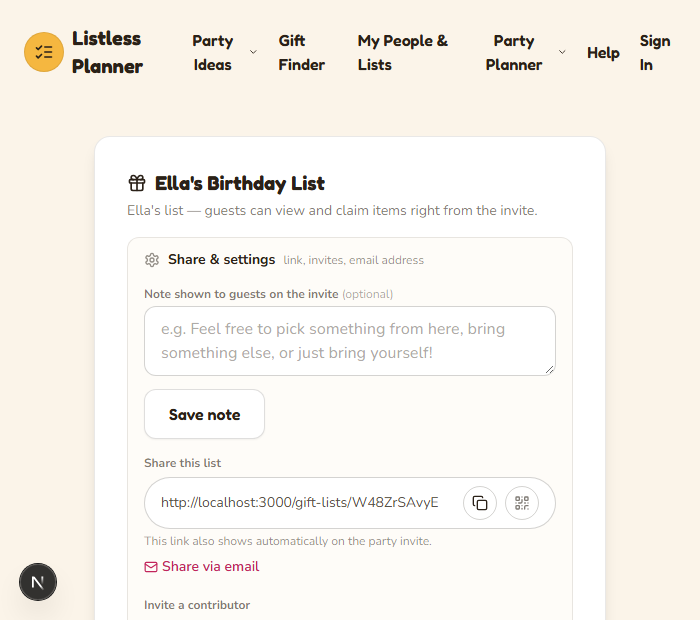
Sharing, invites, and the list's inbound email address are tucked into Share & settings so the page isn't cluttered until you need them:
Adding items, four ways
- One at a time — name, an optional link, and an optional price.
- Paste your whole list — paste a spreadsheet, a notes-app list, or a block of text with links in it, and it's parsed into individual items automatically.
- AI gift ideas — describe the person ("8 year old who loves dinosaurs") and get a shortlist to add from.
- Email it in — every list can get its own private email address (find it under Share & settings). Forward a product link or just type what you want, and it shows up on the list within moments — each line of the email becomes its own item.
The guest experience
Anyone with the list's link sees a clean, public view — no account needed to claim something:
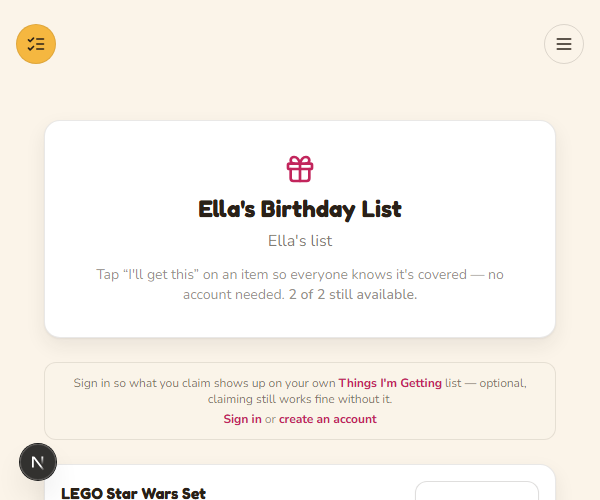
Tapping I'll get this marks it claimed so nobody doubles up. The person who claimed it can undo it themselves, and the list owner gets a quiet email letting them know something was claimed — no need to keep checking back.
Your own inbox
Beyond a single list's email address, your account also gets one personal inbox address (see My People & Lists) for ideas that aren't tied to a specific list yet — email something there and sort it onto the right list (or a brand new one) afterward.